Welcome! 🎉 With Karik Stay, you check yourself in right on your phone: complete the registration form → get your door code & Wi-Fi → have a 24/7 assistant. No app download needed — just follow the steps below.
▶ Watch a 30-second quick video on how to check in
1. Open the link the host sent2. Registration form3. Get your door code & Wi-Fi4. Need help? Ask the Assistant5. Booked via Agoda / Booking / Airbnb?
1
Open the link the host sent
No app needed — just tap one link.
- The host sends you 1 link (often via Zalo).
- Open it on your phone — the page loads instantly, nothing to install.
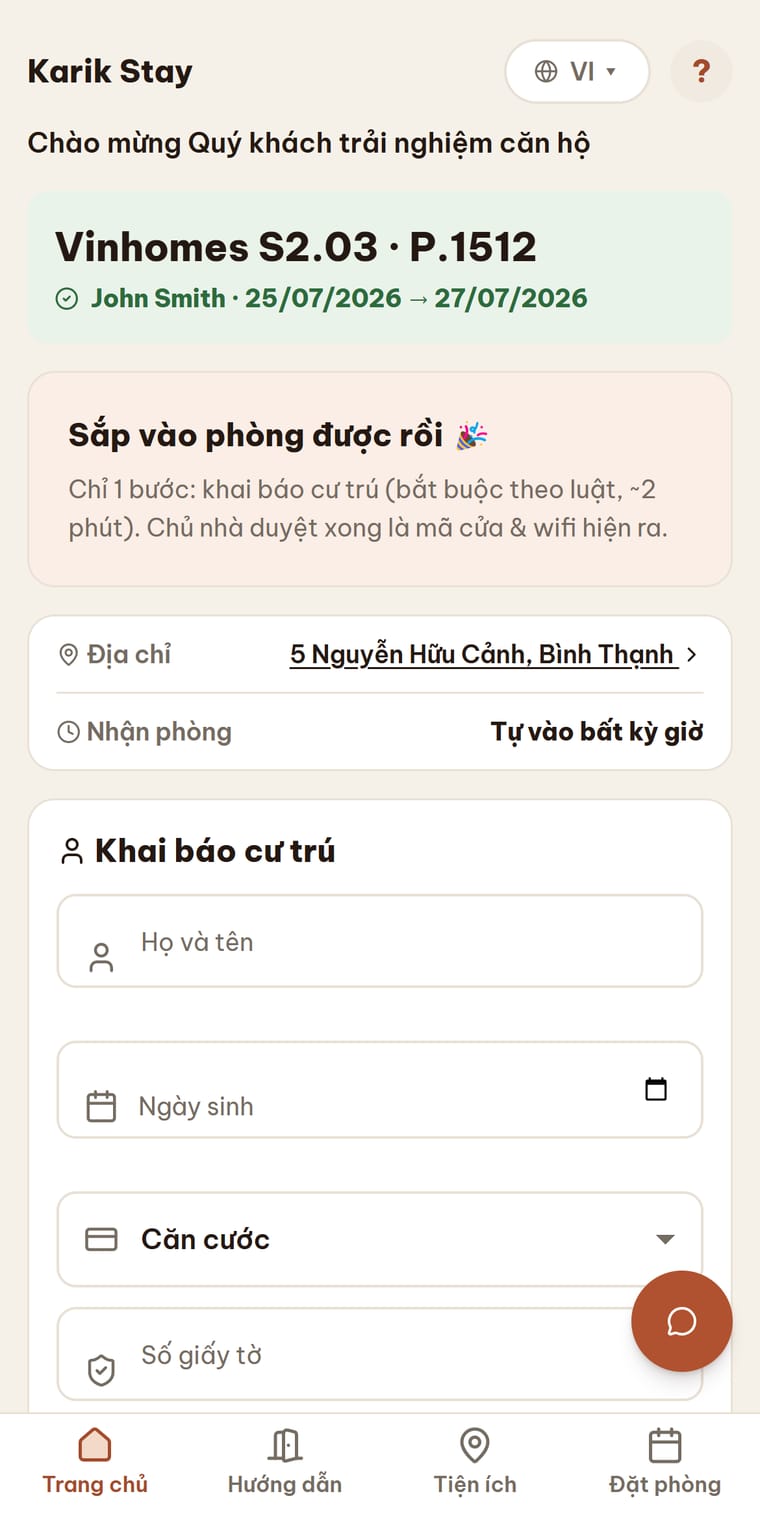
This link is for you only — save it to come back for the door code, Wi-Fi, etc.
2
Registration form
Required by law — it only takes about 2 minutes.
- Enter your full name.
- Select ID type (CCCD or passport) + enter the number.
- Take a photo of your ID (front side required) right on your phone.
- Check I agree → tap Submit.
Fields with correct info show a green ✓, missing ones get a red outline. Your ID photo is auto-checked by the system and only visible to the host for the registration form — it's automatically deleted after 30 days.
3
Get your door code & Wi-Fi
Almost ready to enter your room — just one step away.
- Once submitted, the host approves quickly (some places auto-approve).
- Approved? The screen instantly shows your DOOR CODE + Wi-Fi name & password.
- Use the door code to unlock and get in.
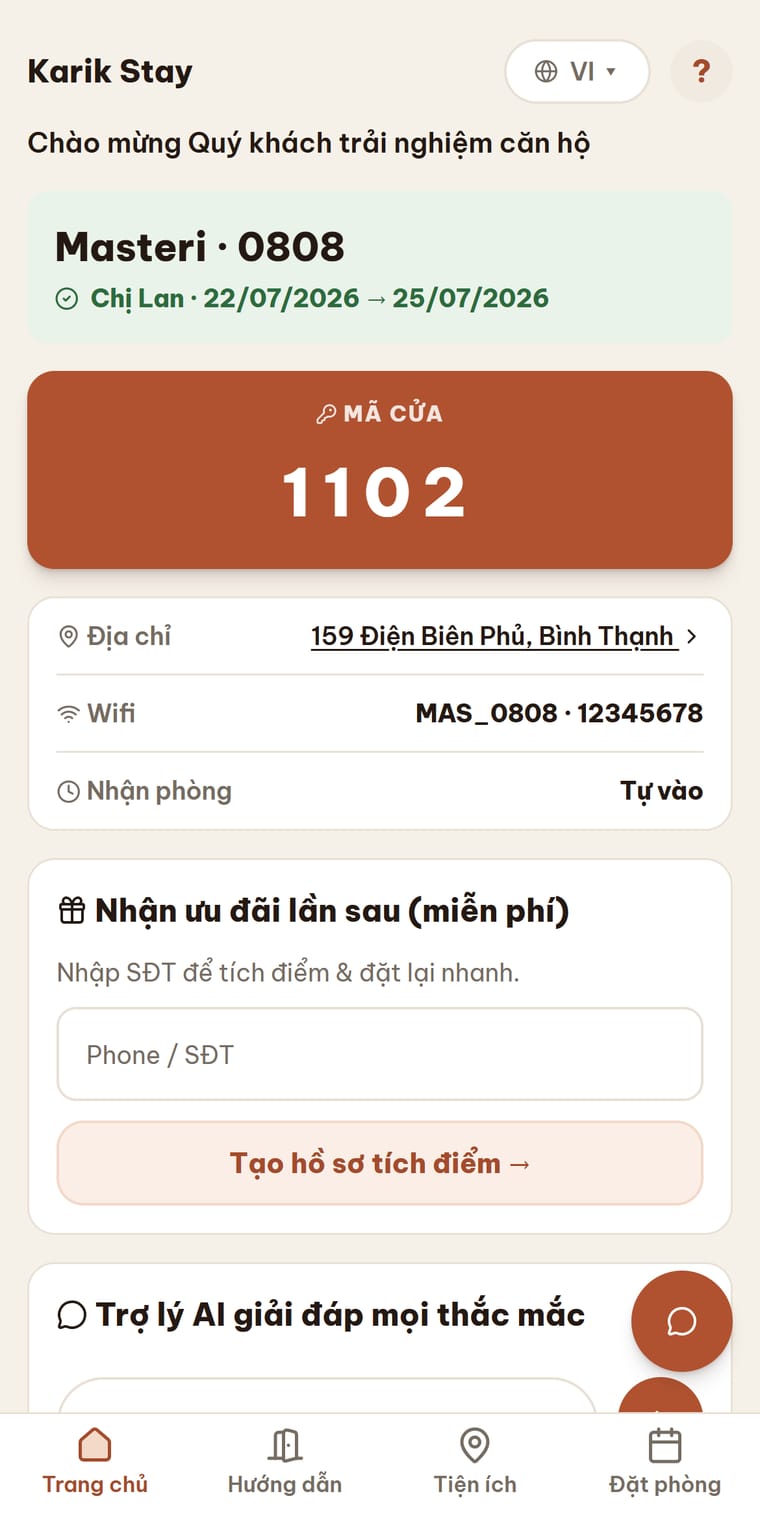
Don't see the door code? That means the host hasn't approved yet — wait a bit and reopen the link.
4
Need help? Ask the Assistant
An assistant is ready to answer 24/7, right on the page.
- Tap the Ask the Assistant box (at the bottom of the page).
- Ask anything: Wi-Fi password, checkout time, address, nearby restaurants…
- The assistant replies instantly — even at midnight, no need to bother the host.
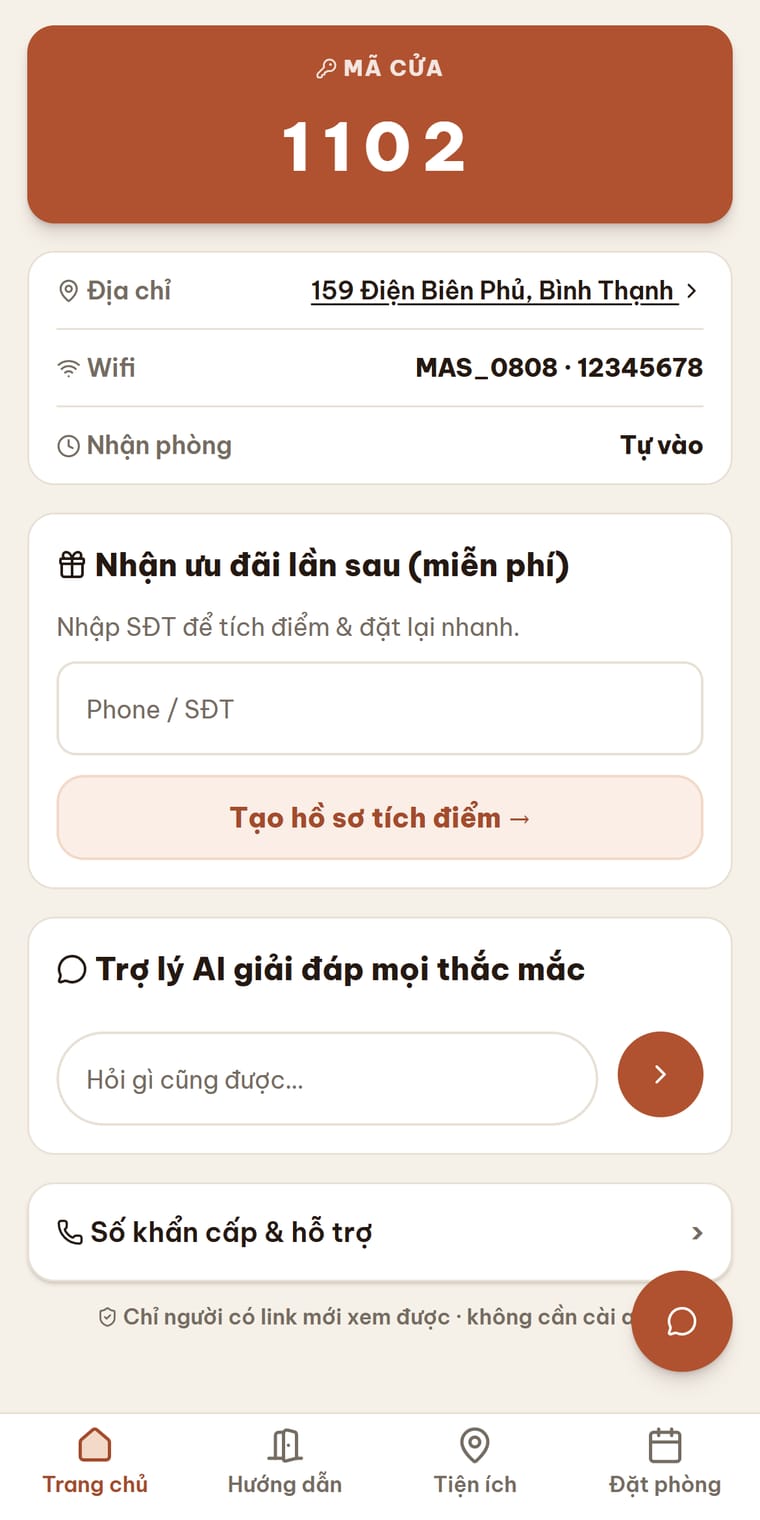
It supports multiple languages. Before you check out, feel free to leave a review to help the host.
5
Booked via Agoda / Booking / Airbnb?
If the host sent a "Self check-in" link.
- Open the check-in link the host sent.
- Enter your booking confirmation number (from Agoda/Booking/Airbnb) + check-in date.
- Tap Find my room → it takes you to your exact room to register & get the door code.
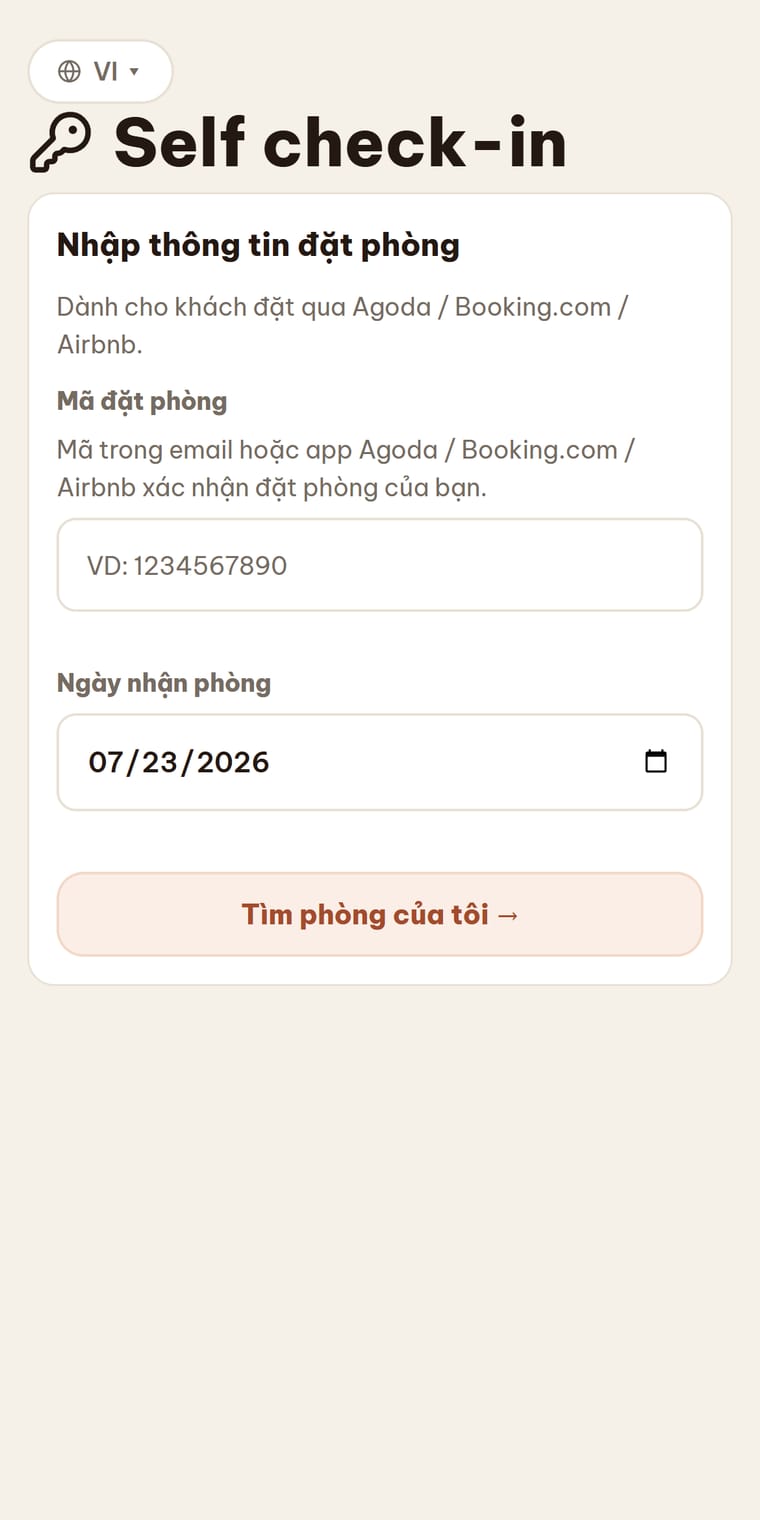
The booking confirmation number is the one in your booking app (not the door code).